
iPhone · iPad · Apple Watch
Import any recipe.Never touch the screen again.
Cuisinier En Chef turns a recipe page into a step-by-step you follow by voice, by AirPods, or with a knuckle on the edge of the screen, without ever putting a messy finger on the phone.
Download on the App StoreFree, no account. Five recipes are already in the app: you can cook tonight without importing anything.
Read on your device
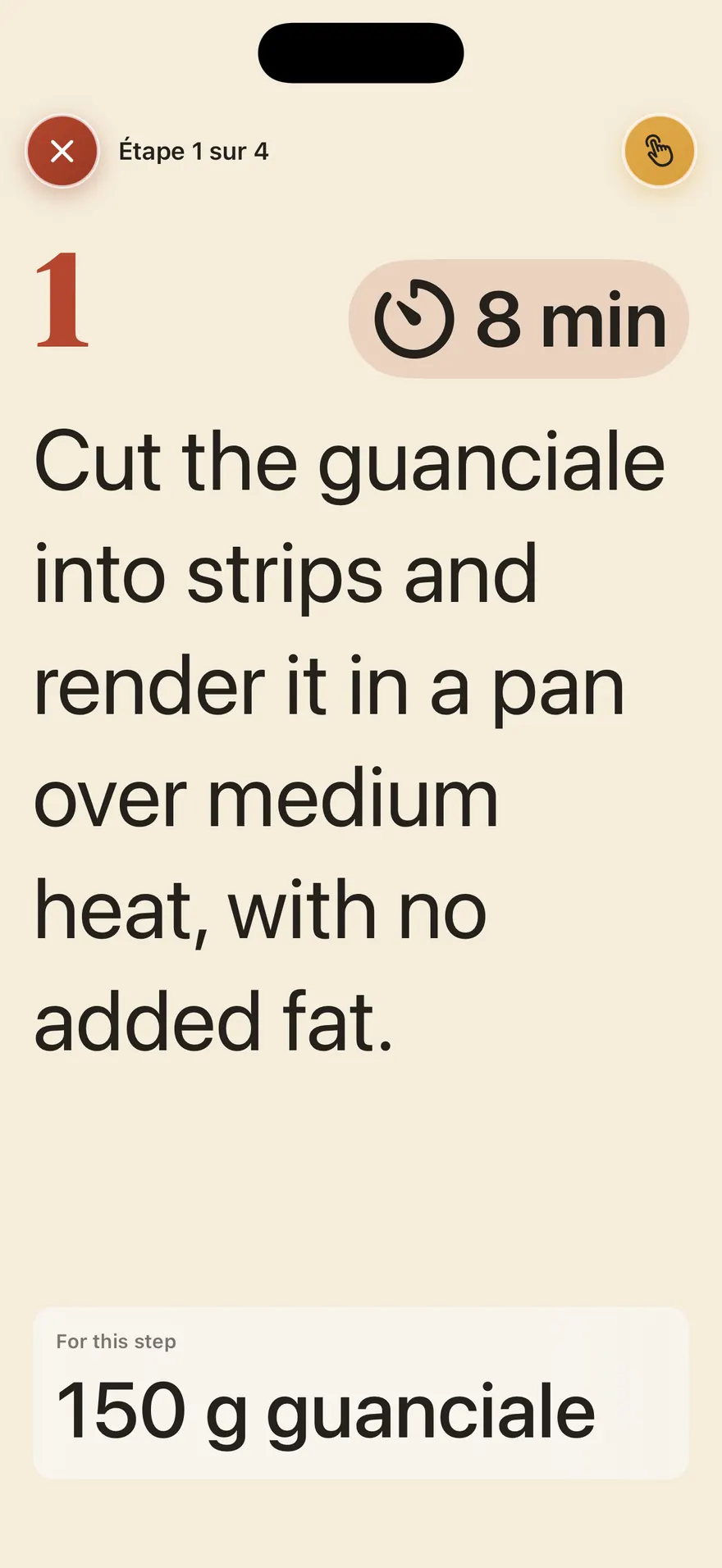
Most recipes are read by your iPhone itself. Neither the page's address, nor its content, nor the recipe is sent to us, and it costs nothing.
The best recipe is in Japanese
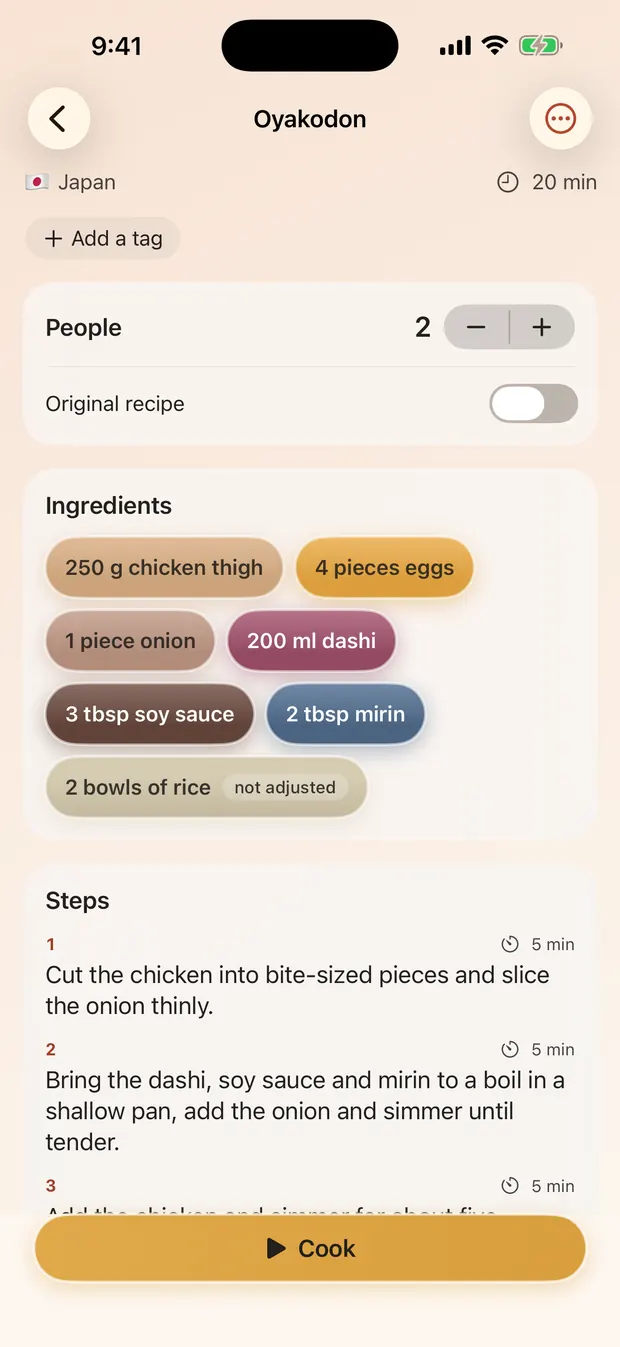
The five recipes that ship are written in their own language and readable in yours: translated, never rewritten. The app reads six languages, and knows that “玉ねぎ1個” and “1 onion” are the same line.
Nothing to create, nothing to cancel
No account, no subscription, no advertising. Your library lives on your device and in your own iCloud.
Import
The recipe is at the bottom of the page. Not here.
Under the childhood story, the advertising and the cookie banner. Cuisinier En Chef keeps the author's words and throws the rest away. On the most cluttered sites we measured that 45 to 72% of the text left after a first clean-up is still not the recipe: that furniture is learned site by site, and removed before the page is read.
Paste an address, share a page from Safari, or browse your country's sites from inside the app. The device reads the page, pulls out the ingredients, the amounts, the steps and the times, and shows you the result before anything is saved.
A page with no markup? Apple Intelligence's on-device model reads it anyway, on the phone and for free: sixteen ingredients and sixteen steps out of a page that announced no recipe at all.
The app never rewrites a step. What you read while cooking are the author's own words, and the original page is always credited.
- Paste an address
- Share from Safari
- Built-in browser
- Scan a page or a book
- PDFs and files
- Shortcuts, Siri, Action button
- YouTube chapters and description
Cook
Hands in the flour, screen keeping up
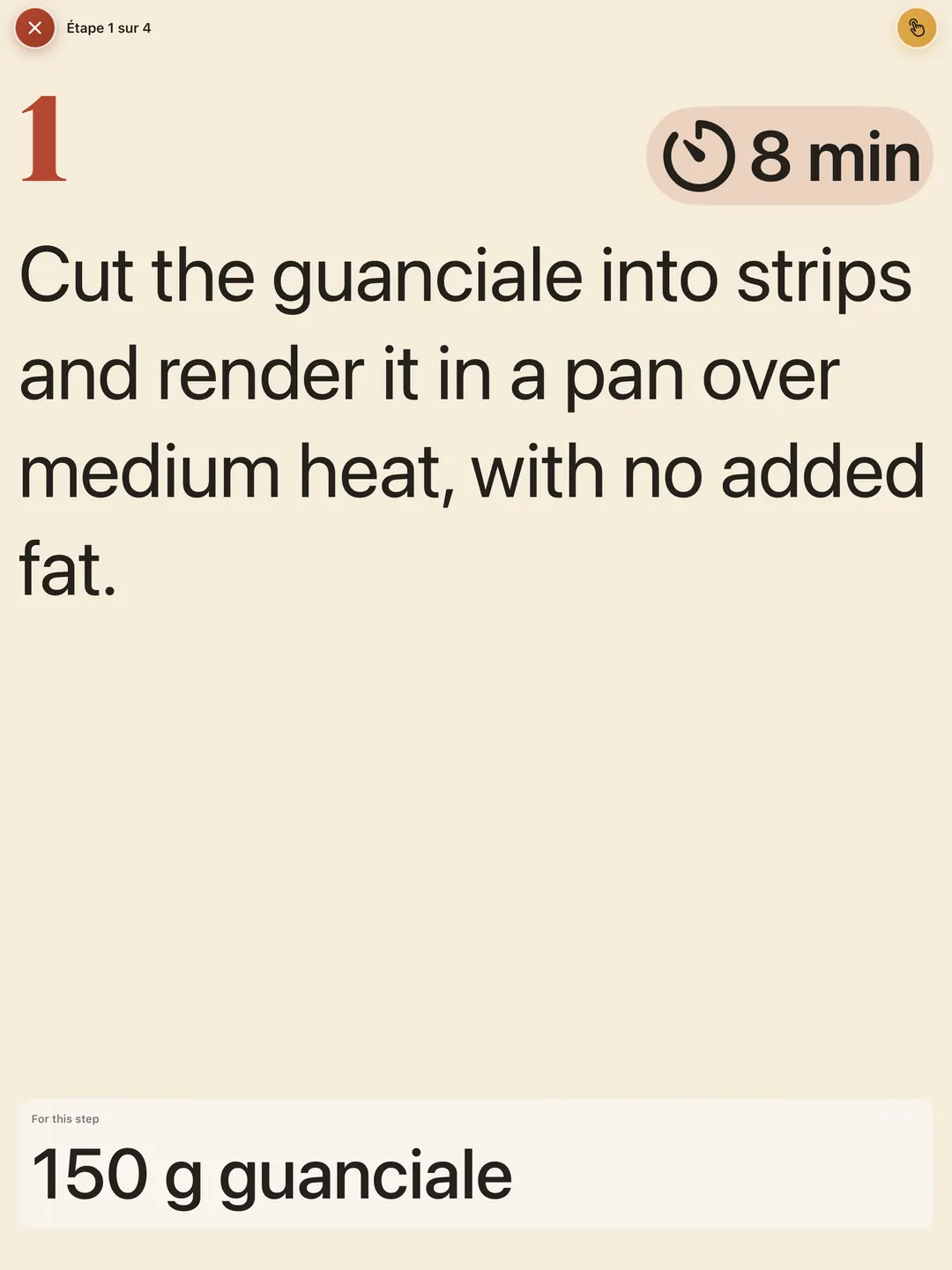
One step per screen, in large type, readable from the other end of the worktop. The step's timer starts on its own and carries on over the lock screen.
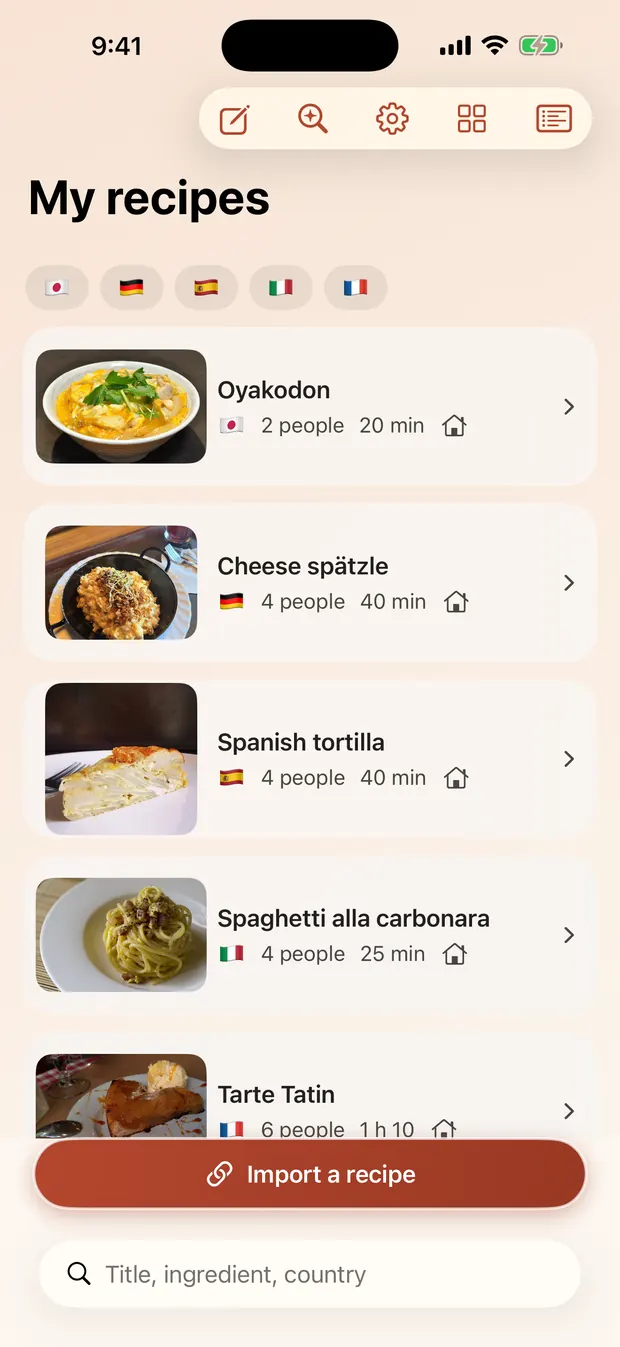
To move on, take your pick: your voice, with no wake word and nothing transmitted; a squeeze on an AirPod, or any Bluetooth remote (a cheap foot pedal makes an excellent “next” button); the Apple Watch crown; or the edge of the screen, which a knuckle or a wrist can reach.
The modes stack, and you can change your mind mid-recipe. And nothing interrupts you while you cook: no advertising, no rating prompt, no share sheet.
- Voice, on-device
- AirPods and remotes
- Apple Watch
- Siri and Shortcuts
- The edge of the screen
- Advance on timers
- Steps read aloud
The amounts
Six tonight, two tomorrow
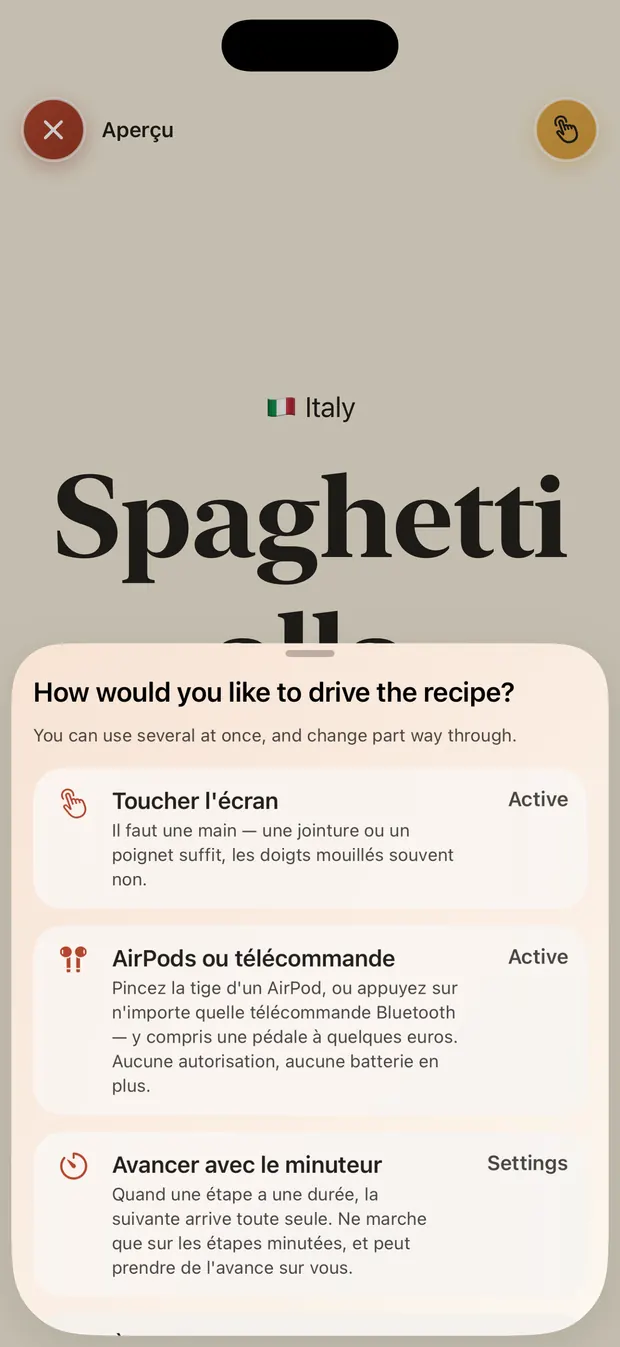
Change the number of people: the amounts are worked out again, rounded to something a cook can actually measure, and moved to another unit when they need to be.
Except what does not divide. A pinch stays a pinch, a 22 cm tin stays a 22 cm tin, and “q.b.” stays “q.b.”. The app shows you the author's words instead of inventing a number, and quietly marks every line it did change.
What's left
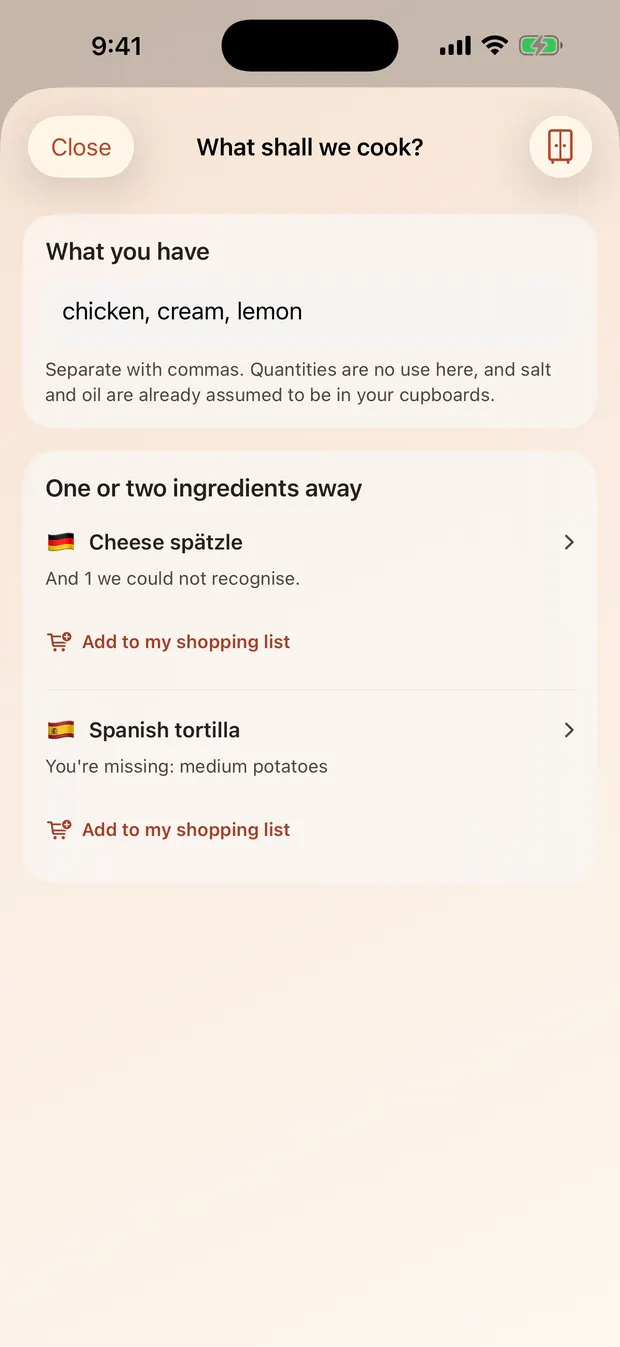
What can I cook with what's in the cupboard?
Type what you have: chicken, cream, lemon. The mixer shows what you can make tonight, then what you are only one or two ingredients away from.
No mascarpone? At twenty to eight, going out is not the answer. The app offers a checked substitute and tells you what it changes about the taste. What is missing goes to the shopping list in one tap.
Share
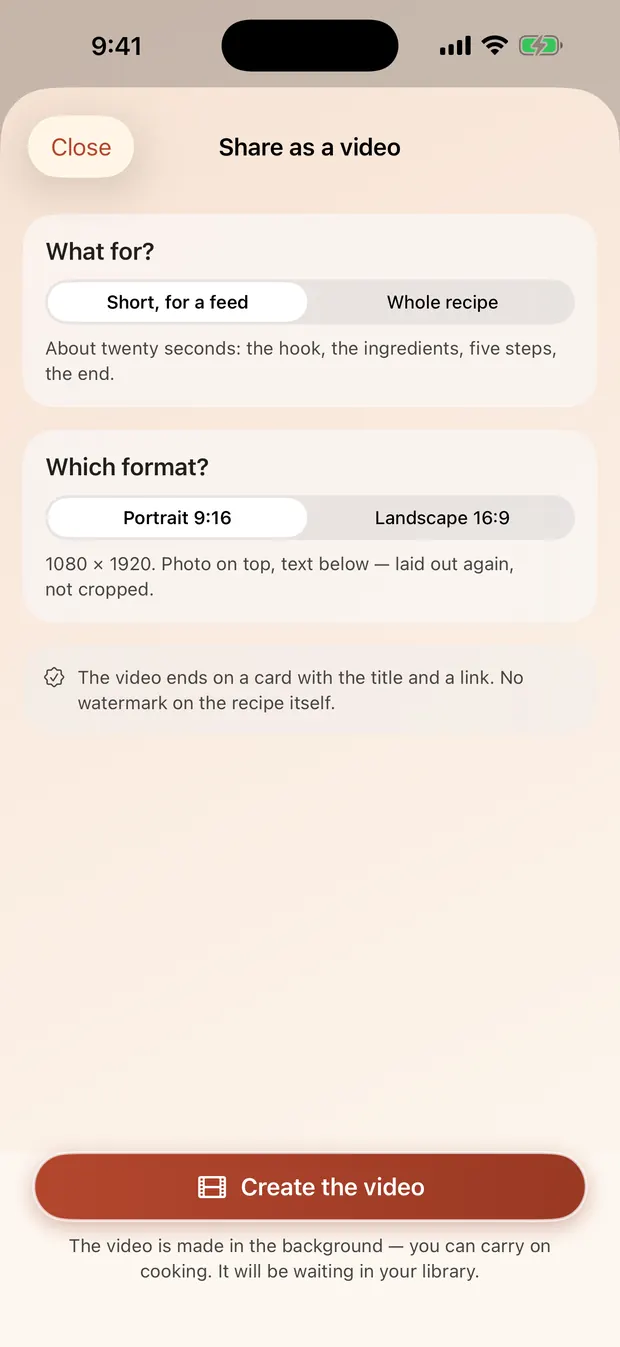
Your recipe becomes a video
Twenty vertical seconds for a feed, a carousel of cards, or the whole recipe in 16:9 for YouTube. It is not a screen recording: it is the same scene played again frame by frame, with your photographs, the pacing and the captions.
No soundtrack forced on you, no watermark across the food. An end card carries the title and a short link.
And if you would rather send a link: the recipe becomes a page readable in any browser, and you can take it down whenever you like.
- Vertical 9:16
- Carousel
- Horizontal 16:9
- Shareable link
An iPad propped against a mixing bowl
The app hands over between iPhone, iPad and Apple Watch, and the player re-lays itself out from the shape of the window: turn the iPad and the step becomes 16:9, photograph left, text right. Not a crop but a different layout.
Your recipes are not ours
No account, no sign-up, no advertising, no tracker, no third-party SDK of any kind. Your library is on your device and in your own iCloud; we have no access to it.
Most imports never leave the phone. When a page resists and you ask for help, it is that page's text that is sent to us, read, and then deleted; the cost is written on the button before you press it.
Cook mode's voice recognition runs on the device. Nothing is transmitted and nothing is recorded.
The sites the app knows by name
The app reads any page that publishes its recipe in the standard format. These ones have also been measured one at a time: how they write amounts, which field holds the yield, where they trip a parser up.
France
- Marmiton marmiton.orgverified
- 750g 750g.com
- Chef Nini chefnini.com
- Cookomix cookomix.com
- Cuisine Actuelle cuisineactuelle.fr
- CuisineAZ cuisineaz.com
- L'atelier des Chefs atelierdeschefs.fr
- Ptitchef ptitchef.com
- Ricardo ricardocuisine.com
United Kingdom
- BBC Good Food bbcgoodfood.comverified
- Great British Chefs greatbritishchefs.com
- Jamie Oliver jamieoliver.com
- Olive Magazine olivemagazine.com
- RecipeTin Eats recipetineats.com
Germany
- Backen macht glücklich backenmachtgluecklich.de
- EAT SMARTER eatsmarter.de
- Emmi kocht einfach emmikochteinfach.de
- Gaumenfreundin gaumenfreundin.de
Italy
- Giallo Zafferano giallozafferano.itverified
- Le Ricette della Nonna ricettedellanonna.net
- Misya misya.info
Spain
- Cocina Casera y Fácil cocinacaserayfacil.net
- Comedera comedera.com
- Directo al Paladar directoalpaladar.com
- Hogarmania hogarmania.com
- Pequerecetas pequerecetas.com
Japan
- Cookpad cookpad.comverified
- Delish Kitchen delishkitchen.tv
- Kurashiru kurashiru.com
- みんなのきょうの料理 kyounoryouri.jp
- 楽天レシピ recipe.rakuten.co.jp
United States
- Cookie and Kate cookieandkate.com
- Gimme Some Oven gimmesomeoven.com
- Natasha's Kitchen natashaskitchen.com
- NYT Cooking cooking.nytimes.com
- Sally's Baking Addiction sallysbakingaddiction.com
Brazil
- TudoGostoso tudogostoso.com.br
A site that changes its page is a data fix, not an App Store release.
What it costs
The app
Free. Library, cook mode, timers, scaling, video export, sharing: all of it is there.
Imports on the device
Free, forever. If your phone did the work, there is nothing to pay.
Credits
Only when you ask a remote model to read a page the device could not. The cost is written on the button, credits never expire, and a recipe already imported costs nothing, ever.
Cuisinier+
One purchase, not a subscription: advertising off, the full hands-free control plane, the family shelf, a discreet end card, Family Sharing. Nothing to cancel.
A visible ledger shows every spend and every free import, with its reason.
Questions
Do I need an account?
No. There is no account, no password and no address to hand over. Your recipes sync through your own iCloud, between your own devices.
Does it work offline?
A saved recipe cooks offline, timers and voice included: all of it happens on the device. A connection is only needed to go and fetch a page to import.
Does it strip the story and the ads?
That is the app's first job. It keeps the title, the ingredients, the steps and the times, and leaves the rest on the original page, which is always credited and always one link away. Each site's furniture is measured site by site rather than guessed at, because a generic clean-up still leaves half of it behind.
Does it read Allrecipes, BBC Good Food or Cookpad?
The sites listed above have been measured one page at a time, and the app also reads any site that publishes its recipe in the standard format. A handful of large sites refuse a direct fetch altogether; those are left off the list rather than promised.
What about YouTube videos?
When a video writes its ingredients into the description, or splits its steps into chapters, your device reads them itself and for free: a chapter title is already the author's own words. What the app will not do is rebuild a recipe out of an automatic caption track: an invented step is worse than a missing one.
Are the five starter recipes readable in my language?
Yes. They are written in their own language and carry a translation in all six the app speaks, with a switch to see the original. A recipe you import stays in its author's own words.
Can I write my own recipes?
Yes, and correct the ones you import, add your photographs, your tags and your notes. Your personal notes never leave the device.
How do I move on without touching the screen?
Say “next”. Or squeeze an AirPod stem. Or press a Bluetooth remote, including a pedal on the floor. Or turn the Apple Watch crown. Or let the timer move on by itself. The modes stack, and you can change them mid-recipe.
Is the app accessible?
VoiceOver, Dynamic Type up to the accessibility sizes, measured contrast, and a cook mode that can be driven entirely without looking at the screen.
Which devices?
iPhone and iPad, with an Apple Watch app. Mac and Android come later.
How do I take down a recipe I shared?
From the app, at any time: the link stops working. You can also write to us and we will remove it.
One less recipe to print out tonight
Five recipes are already waiting. The sixth is one pasted address away.
Download on the App Store